 Bojan
BojanThe Architecture of a Multi-Tenant SaaS Built on WordPress
WordPress Multisite as a SaaS foundation: how tenant provisioning, blog-level data isolation, cross-domain SSO, and background job processing come together in a production platform.
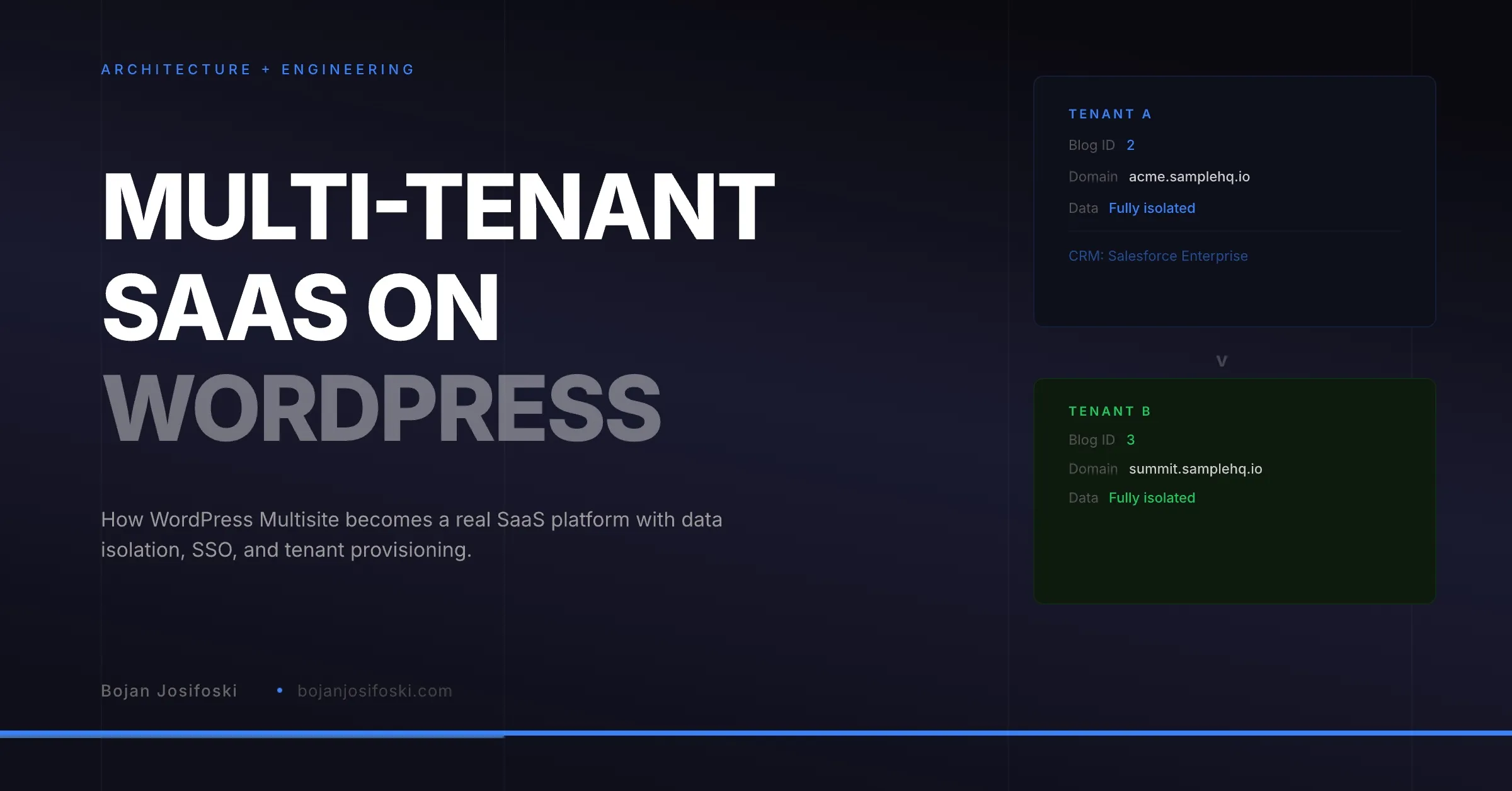
I have written about building a B2B SaaS on WordPress before. That post covered the broad strokes: why WordPress, what the stack looks like, and what I learned along the way. This post goes deeper into the specific architecture of multi-tenancy, because that is where the hardest engineering problems live and where most WordPress-based SaaS attempts fail.
Why WordPress Multisite
WordPress Multisite is a core WordPress feature that allows a single installation to serve multiple sites, each with its own content, users, and settings. In a SaaS context, each “site” becomes a tenant workspace. Each tenant gets its own subdomain, its own data tables (prefixed by blog ID), and its own configuration.
The advantage is natural data isolation. WordPress Multisite was designed to keep site data separate. Posts, postmeta, options, and custom tables for Site A are physically separate from Site B at the database level. You do not need to build row-level security or add tenant_id columns to every query. The isolation is structural.
The disadvantage is that WordPress was not designed for the kind of cross-site operations that SaaS requires. Authentication, billing, onboarding, and CRM webhooks all need to work across the multisite boundary. That is where the engineering work goes.
Tenant Provisioning
When a new user signs up, the system creates a workspace. This is a multi-step process: generate a unique subdomain from the user’s email, create the WordPress site, install the workspace theme, assign the user as owner, and apply the plan configuration.
Domain generation needs to handle collisions. If two users sign up with similar emails, their subdomains cannot conflict. The generator normalizes the email, strips common domains, and checks availability before creating the site. The result is a predictable subdomain like “acme-packaging.samplehq.io” that the user can immediately navigate to.
Plan configuration happens at provisioning time. Each plan defines limits: maximum users, maximum samples, maximum storage, CRM mode (read-only, full, or unlimited). These limits are stored in site options and enforced by the core plugin on every relevant operation. When a team upgrades, the limits change. When they downgrade, the system enforces the new constraints gracefully.
Data Isolation
Every database query in the application runs in the context of a specific blog ID. Custom tables use the WordPress base prefix plus the blog ID, so tenant A’s orders are in a physically different table than tenant B’s orders. Cross-tenant data leakage requires a bug that explicitly switches blog context and queries the wrong table.
The tenant resolver is a piece of middleware that runs on every API request. It examines the request domain, the blog ID in the route, or the tenant identifier in a webhook payload, and switches to the correct blog context before any business logic executes. If the resolver cannot identify the tenant, the request is rejected.
Session security adds another layer. A must-use plugin validates that the authenticated user has a role on the current site. If a user authenticated on Site A somehow navigates to Site B (through a direct URL, a stale bookmark, or a browser cache issue), the security plugin detects the mismatch and redirects them to their correct workspace. This prevents the most common cross-tenant access vector in multisite environments.
Authentication Across Domains
I covered cross-domain SSO in an earlier post. The short version: WordPress cookies are scoped to domains. Authenticating on the main site does not authenticate you on your subdomain workspace. The solution is one-time login tokens with a five-minute TTL, consumed on first use, with redirect loop detection.
OAuth adds complexity because the OAuth redirect URI points to the main site (where the connected app is registered), but the tokens belong to the user’s workspace. The OAuth callback has to resolve the tenant from a state parameter stored in a network-wide transient, save the tokens in the correct blog context, and redirect the user to their workspace. All without exposing tokens to the wrong tenant.
Background Jobs at Scale
Multi-tenant applications generate background work that scales with the number of tenants. Attribution backfill runs nightly for every tenant with CRM connections. Webhook cleanup runs daily across all sites. Email queue processing runs continuously.
Action Scheduler handles this. It is the same job queue that WooCommerce uses, and it is designed for exactly this kind of workload: recurring jobs, retries on failure, and concurrent processing. Each job runs in the context of a specific blog ID, processes its work, and completes. If a job fails, it is retried with exponential backoff.
The key architectural decision was loading Action Scheduler early, before plugins_loaded, in the main plugin bootstrap. This ensures that the scheduler’s own hooks register before any plugin code that depends on them. Getting this load order wrong causes jobs to silently not schedule, which is a debugging nightmare in a multisite environment where the failure is intermittent across sites.
Webhook Processing
CRM webhooks from HubSpot and Salesforce arrive at a single endpoint on the main site. The webhook handler has to identify which tenant the event belongs to, switch to that tenant’s blog context, verify the webhook signature against that tenant’s stored secret, and process the event.
Tenant identification depends on the CRM. HubSpot includes the portal ID in the webhook payload, which maps to a stored connection record. Salesforce includes the org ID. The handler looks up the tenant by matching the incoming identifier against the CRM connections table, which is a network-wide table shared across all sites.
Signature verification is critical because webhooks are public endpoints. HMAC-SHA256 verification ensures the payload was actually sent by the CRM and was not tampered with. Each tenant has its own webhook secret, stored encrypted, so a compromised secret for one tenant does not affect others.
What WordPress Gets Right for SaaS
Despite the engineering challenges, WordPress provides real advantages for this architecture. The plugin system allows clean separation of concerns: core business logic in one plugin, authentication and billing in another, the workspace UI in a theme. Hooks and actions provide a pub-sub event system without additional infrastructure. The REST API is production-grade. And the ecosystem means standard problems like email transport, image handling, and user management are solved.
The critical insight is that WordPress Multisite provides the tenancy primitive for free. You do not need to build tenant isolation from scratch. You need to build the cross-tenant operations, authentication, billing, webhooks, that WordPress was not designed to handle. That is a smaller surface area of custom engineering than building both tenancy and cross-tenant operations on a framework that provides neither.
This architecture powers SampleHQ. Every workspace is an isolated multisite tenant with its own data, CRM connections, and configuration. The engineering challenges were real, but the result is a platform that scales naturally with each new customer.