 Bojan
BojanHow to Design a Sample Request Workflow That Actually Scales
At 50 orders a month, any process works. At 500, only designed workflows survive. Here is how to think about sample request intake, state transitions, and notifications as a systems problem.
Most sample request workflows are not designed. They emerge. Someone starts emailing fulfillment when samples are needed. Someone creates a spreadsheet to track what was requested. Someone adds a column for status. Before long, the “workflow” is a collection of habits held together by institutional memory.
This works when volume is low. When a team processes twenty or thirty sample requests a month, the overhead of a real system feels unnecessary. The pain starts when volume crosses a threshold, usually around a hundred orders per month, where the informal process cannot absorb the complexity anymore.
What Breaks at Volume
The first thing that breaks is intake. When requests come through multiple channels, email, Slack, phone calls, verbal hallway conversations, there is no consistent record of what was requested. Fulfillment spends time clarifying incomplete requests. Sales spends time re-submitting requests that were lost. Both teams waste effort on coordination that a structured intake would eliminate.
The second thing that breaks is visibility. Spreadsheets stop being reliable because multiple people update them inconsistently. Status information is always stale. Reps ask fulfillment “did my order ship?” because they cannot check on their own. Fulfillment gets interrupted constantly with status inquiries that should be self-serve.
The third thing that breaks is accountability. When orders are delayed or lost, nobody can trace what happened. There is no audit trail, no timestamp on status changes, no record of who approved what. Problems get resolved through ad hoc investigation rather than systematic tracking.
Designing Intake That Captures the Right Data
The intake step is where most workflows fail, and it is the easiest to fix. A well-designed intake captures four things: what samples are being requested, who they should be sent to, where they should go, and optionally, what deal or business context the request supports.
The key principle is that the intake should be faster than the alternative. If logging a request in the system takes longer than sending an email to fulfillment, people will send the email. The form needs to be short, with smart defaults. If the recipient is an existing CRM contact, address fields should auto-populate. If the samples are from a known catalog, selection should be browse-and-click, not type-and-describe.
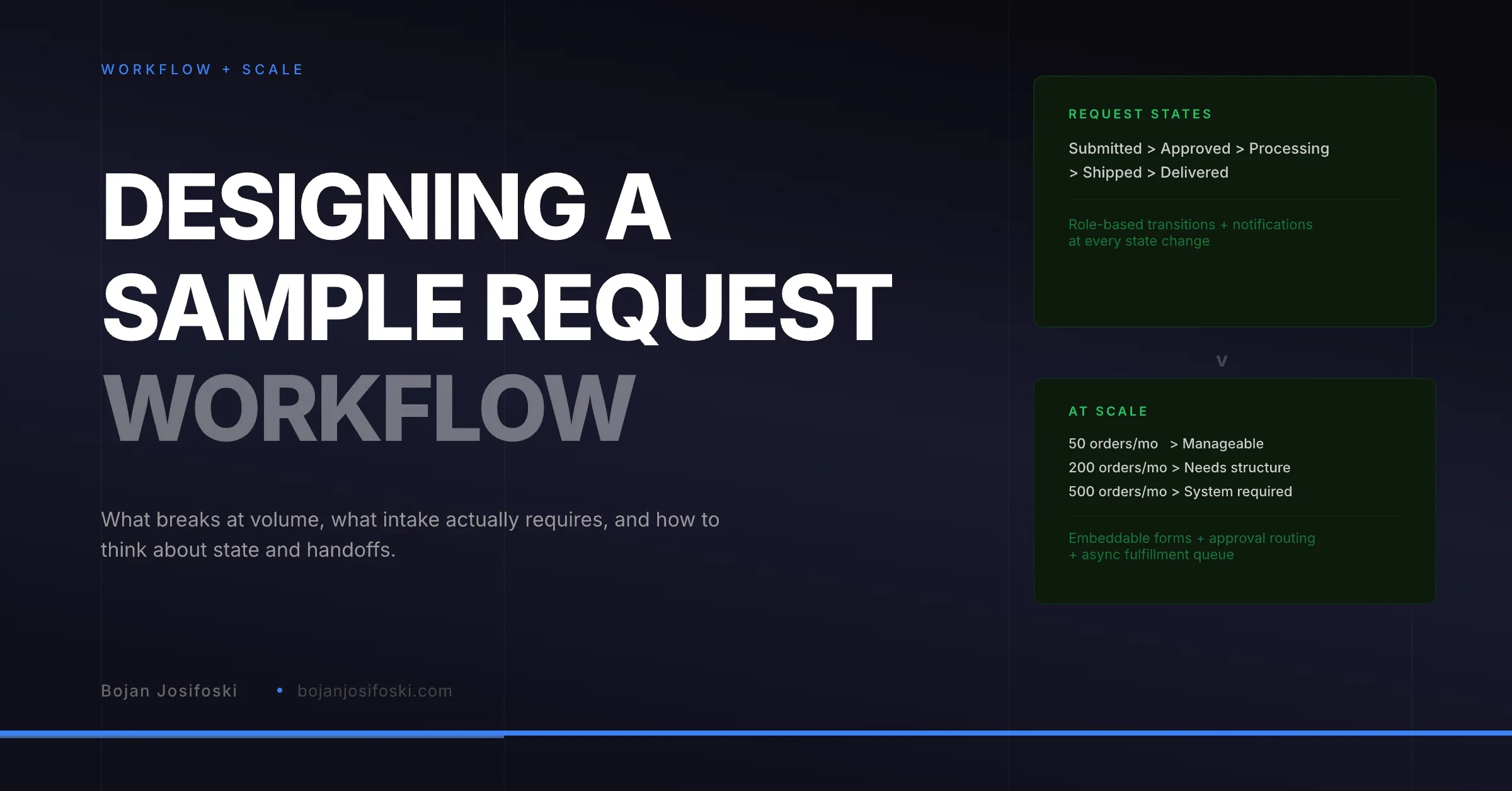
Embeddable forms take this further. Instead of requiring the requestor to log into a separate system, the intake form can live on the company website, in a customer portal, or embedded in an internal page. The form captures structured data, routes it to the approval queue, and creates the order record without anyone needing to learn a new tool.
State Machines, Not Status Columns
A sample order is a state machine. It moves through defined states: submitted, approved, processing, shipped, delivered. Each transition has rules about who can trigger it, what data is required, and what should happen next.
This is different from a spreadsheet column where anyone can type any status at any time. In a state machine, a fulfillment team member cannot mark an order as “delivered” without first marking it as “shipped” with a tracking number. A sales rep cannot skip the approval step. Each transition is enforced, logged, and used to trigger downstream actions.
Role-based transitions are important because different people own different stages. Sales owns the request. A manager or coordinator owns the approval. Fulfillment owns processing and shipping. The system owns delivery confirmation, pulled from carrier data or entered manually. Nobody can change a status they do not own, which prevents the data integrity problems that plague unstructured processes.
Notifications That Drive Action
A workflow without notifications is a workflow nobody follows. The right notification at the right time is what turns a status change into an action.
When a request is submitted, fulfillment should be notified. When an order ships, the requesting rep should be notified with the tracking information. When delivery is confirmed, the rep should get a follow-up prompt. When an order has been in “processing” for longer than a defined threshold, a manager should be alerted.
The important design choice is restraint. Not every status change needs a notification. Notification fatigue is real, and over-notifying is as bad as under-notifying. The notifications should be tied to moments where someone needs to do something, not moments where something happened that might be interesting.
The Fulfillment Queue
Fulfillment teams need a different interface than sales teams. They need a queue: orders sorted by priority or date, filtered by status, with batch actions for common operations like printing packing slips and purchasing shipping labels.
The queue should show only what is actionable. Orders that are awaiting approval do not belong in the fulfillment queue. Orders that have been shipped and are awaiting delivery do not need to be in the active queue either. The queue should surface what needs to be worked on now and hide everything else.
Batch operations matter at scale. When a fulfillment team is processing fifty orders a day, opening each one individually to print a packing slip or generate a shipping label is impractical. Selecting ten orders and printing all packing slips in one action saves real time. Purchasing shipping labels in batch through an integrated carrier API saves even more.
Connecting to CRM Without Duplicating Work
The workflow should connect to the CRM at two points: intake and attribution. At intake, the system should look up the recipient in the CRM to pull contact data and deal context. At close, the system should associate the sample order with the relevant deal so attribution can be computed.
What the workflow should not do is replicate CRM functionality. Deal management, pipeline reporting, and contact history belong in the CRM. Order management, fulfillment tracking, and delivery status belong in the operational system. Each system does its job. The integration connects them where data needs to flow.
Start Simple, Design for Growth
You do not need to implement all of this on day one. Start with structured intake and a basic state machine. Add notifications for the highest-value transitions. Build the fulfillment queue when volume demands it. Connect to the CRM when attribution becomes a priority.
The important thing is to design the workflow rather than let it emerge. Emergent workflows work until they do not, and by the time they break, the team is too busy fighting fires to fix the underlying process.
SampleHQ implements this workflow design: structured intake with embeddable forms, role-based state machines, notification triggers, fulfillment queues, and CRM integration at the right points.