 Bojan
BojanWhat Salesforce Edition You’re On Changes Everything About Integration
Most Salesforce integration guides assume Enterprise edition. In reality, Essentials lacks API access entirely, Professional may need add-ons, and your integration strategy needs to handle all of them.
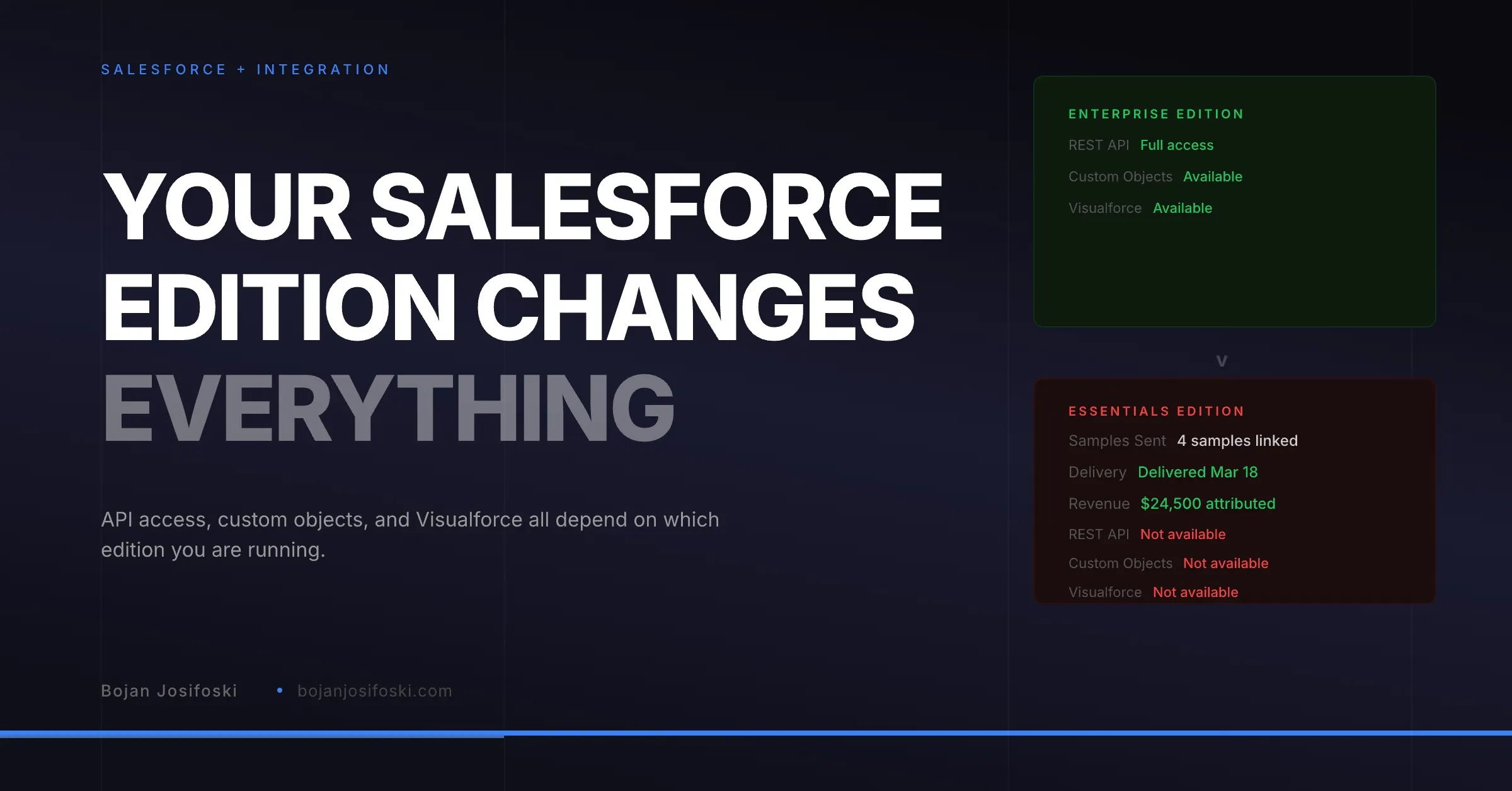
Every Salesforce integration guide starts the same way: create a connected app, configure OAuth, call the REST API. What they do not tell you is that these instructions assume you are running Enterprise edition or higher. If your customers are on Essentials or Professional, the guide breaks at step one.
I learned this the hard way while building SampleHQ. The Salesforce integration worked perfectly in my development org (Enterprise). It failed completely in a customer’s org (Professional without the API add-on). And it failed silently, which is the worst kind of failure because nobody knows the integration is broken until they go looking for data that was never synced.
What Each Edition Actually Supports
Salesforce has four main editions for B2B: Essentials, Professional, Enterprise, and Unlimited. The differences in API and integration capabilities are significant.
Essentials does not expose the REST API at all. You cannot make API calls against an Essentials org. Any integration that depends on API access will not work. Period. There is no add-on to change this.
Professional technically supports API access, but it requires a paid add-on that many organizations do not have. Even with the API add-on, custom objects may not be available depending on the specific permissions. Visualforce pages, which are needed for embedded experiences, are not available on Professional.
Enterprise provides full API access, custom objects, Visualforce pages, Apex triggers, and process builder. This is the edition that most integration documentation assumes. It is also the most common edition for mid-market companies.
Unlimited adds everything Enterprise has plus higher API limits, more storage, and additional customization options. From an integration perspective, it behaves the same as Enterprise.
Why This Matters for Sample Management
If you are connecting a sample management system to Salesforce, the edition determines what you can actually do.
On Enterprise and above, you can deploy custom objects like “Sample Orders” directly into the Salesforce org. Sales reps can see sample order data inside Salesforce through Visualforce pages embedded in the deal layout. Opportunity linking can happen natively within Salesforce. Webhooks can push real-time updates. This is the full integration experience.
On Professional with the API add-on, you can search contacts and accounts, validate addresses, and push data through the API. But you cannot deploy custom objects or embed Visualforce pages. So the integration becomes one-directional: the sample management system reads from Salesforce, but Salesforce does not display sample data natively. Deal linking has to happen in the external system instead.
On Essentials, you cannot integrate at all through APIs. The only option is CSV export/import or manual data entry. Any promise of “Salesforce integration” is meaningless for Essentials users.
The Capability Probe Pattern
I have written about Salesforce metadata challenges before. The specific solution I built for edition detection is what I call a capability probe.
When a user connects their Salesforce org through OAuth, the system does not just store the tokens and hope for the best. It runs a series of tests against the org to determine what is actually available.
Can the API be reached? If not, the connection is marked as non-functional and the user sees a clear message about their edition limitations. Can custom objects be created? If yes, the system deploys the sample order metadata. If not, it falls back to a lighter integration mode. Is Visualforce available? If yes, the embedded experience is activated. If not, deal context is shown in the external system instead.
Each test result maps to a mode: full, light, or read-only. The user does not need to know which edition they are on. The system figures it out and enables the appropriate features. This is more engineering work than just building for Enterprise, but it means the integration works for everyone who connects, not just the subset with the right license.
Metadata Deployment Is Fragile
Even on Enterprise, deploying custom fields and objects to a Salesforce org is not straightforward. You need to handle permission sets, field-level security, page layout assignments, and record types. If any of these fail, the deployment looks successful but the data is invisible to some or all users.
The most common failure I encountered was permission set assignment. The custom “Sample Orders” object would deploy successfully, but the sales reps could not see it because their permission set did not include the new object. The integration appeared connected in the settings page, but no data showed up in Salesforce. Users assumed the integration was broken when it was actually a permissions gap.
The fix is to make deployment a multi-step process with verification. Deploy the object. Deploy the fields. Create or update the permission set. Verify that the permission set is assigned to the expected profiles. If any step fails, surface a specific error message rather than a generic “deployment failed” notification. This requires understanding Salesforce’s metadata API at a level that most integration builders never reach, but it is the difference between an integration that works reliably and one that breaks mysteriously.
Token Management Across Editions
Salesforce OAuth tokens behave differently across editions in ways that are not well documented. Refresh token policies vary. Some orgs have IP restrictions on API access. Session security settings can invalidate tokens when users change passwords.
The practical implication is that your token storage and refresh logic needs to be robust. Store tokens encrypted. Implement automatic refresh on 401 responses. Detect when a refresh token itself is expired or revoked. And provide a reconnection flow that does not require the user to remove and re-add the entire integration.
I store all CRM tokens encrypted with AES-256-GCM, with the encryption key externalized from the database. Token refresh happens automatically on every API call that returns an authentication error. If the refresh fails, the connection status changes to “disconnected” and the user sees a reconnect prompt. The goal is that token management is invisible to the user unless something genuinely breaks.
The Real Lesson
The real lesson from building edition-aware Salesforce integration is that you cannot assume your users’ environments match your development environment. Every Salesforce org is different. Edition, permissions, security settings, installed packages, and custom configurations all affect what your integration can do.
Building for the best case is easy. Building for every case is where the engineering time goes. But it is also where trust gets built. When a user on Professional edition connects their org and sees a clear, functional integration that works within their edition’s constraints, that builds more confidence than a flashy demo that only works on Enterprise.
SampleHQ‘s Salesforce integration uses this capability probe approach. If you are evaluating tools and running anything other than Enterprise, it is worth checking whether the integration actually supports your edition.