 Bojan
BojanWhy CRMs Fail at Sample Tracking (And What to Build Instead)
Salesforce and HubSpot were built to manage deals, not track what was shipped, when it arrived, or whether it influenced revenue. Here is why CRM-based sample tracking breaks down and what a purpose-built system actually requires.
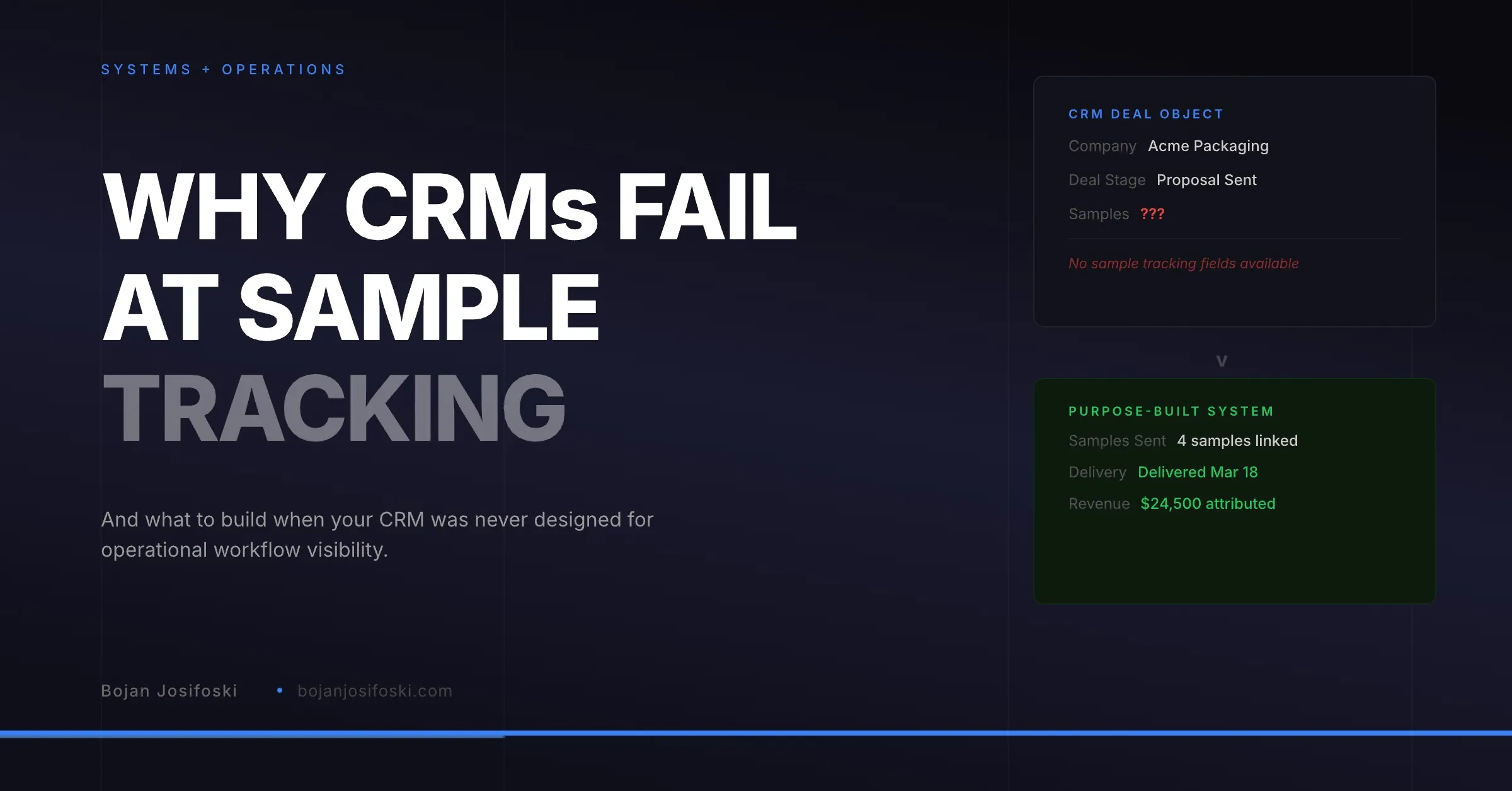
Every team I have talked to that manages samples through their CRM eventually hits the same wall. The CRM works fine for deals. It works fine for contacts. But the moment you try to track what was shipped, when it was delivered, and whether it mattered to the deal, the system fights you.
This is not a configuration problem. It is a data model problem. CRMs were designed around a specific set of objects and relationships, and sample operations do not fit cleanly into any of them.
I have spent the past two years building a system that connects sample activity to CRM data. Not by forcing samples into Salesforce custom objects or HubSpot properties, but by building the operational layer separately and connecting the two where it actually makes sense. What follows is what I have learned about why CRMs fail at this and what the alternative looks like at a systems level.
The Object Model Problem
CRMs are organized around a core loop: contacts belong to companies, companies have deals, deals move through stages. Everything in the system is designed to support that flow. Reporting, automation, dashboards, permissions. It all assumes the deal is the center of gravity.
Samples do not fit into this model. A sample request is not a deal. It is an operational event that may or may not relate to a deal. A single deal might involve four different sample shipments to three different recipients. A sample might be sent to someone who is not even a contact in the CRM yet. The fulfillment team tracking that shipment does not care about deal stages. They care about what needs to go out, where it is going, and whether it got there.
When you try to jam this into a CRM, you end up with one of two bad outcomes. Either you create a tangle of custom objects and lookup relationships that nobody maintains, or you track samples outside the CRM entirely and lose the connection to revenue.
What Breaks in Salesforce
Salesforce is powerful. It is also opinionated about how data should be structured. When you try to build sample tracking inside Salesforce, you run into specific problems that are not obvious until you are deep into implementation.
First, there is the edition problem. I have written about Salesforce edition constraints before. Not every Salesforce org has the same API access. Salesforce Essentials does not expose the REST API at all. Professional edition may require an API add-on. The custom objects, Visualforce pages, and Apex triggers you need for real sample tracking are only reliably available on Enterprise and above.
Second, metadata deployment is fragile. Deploying custom fields and objects to a Salesforce org requires navigating permission sets, field-level security, page layouts, and record types. If any of these fail silently, your integration looks connected but is actually missing data. I have seen setups where the custom “Sample Orders” object existed in the org but was invisible to half the sales team because of a missing permission set assignment.
Third, Salesforce is not designed for operational state tracking. Moving a sample order through statuses like “processing,” “shipped,” and “delivered” requires either a custom object with picklist values and automation rules, or an external system that pushes updates in. Either way, you are building workflow infrastructure that Salesforce was never meant to provide.
What Breaks in HubSpot
HubSpot is more accessible than Salesforce. The API is cleaner, the object model is more flexible, and you can get a lot done without admin-level Salesforce knowledge. But for sample tracking, it hits similar walls in different places.
HubSpot’s deal object does not support the kind of line-item granularity that sample orders require. You can associate products with deals, but you cannot track which specific samples were shipped to which recipient, when they were delivered, or what carrier was used. That level of operational detail does not have a natural home in HubSpot’s data model.
Custom objects in HubSpot are relatively new and still limited compared to Salesforce. You can create a “Sample Order” custom object, but the relationship mapping, reporting capabilities, and automation triggers available for custom objects are not as mature as what you get with standard objects. You end up maintaining a parallel data structure that feels bolted on rather than integrated.
The bigger problem is workflow context. When a fulfillment team member needs to see their shipment queue, filter by status, and update tracking information, they should not need to navigate HubSpot’s contact or deal views to do it. The operational workflow and the sales workflow are different activities with different interfaces, different permissions, and different priorities.
The Attribution Gap
Even if you solve the tracking problem inside your CRM, you still face the attribution gap. This is where most teams give up.
Attribution means connecting a sample to a deal outcome. Not “this contact also has an open deal” but “these four samples were sent as part of this opportunity, they were delivered on these dates, and the deal closed for this amount three weeks later.”
That requires a linking model. You need to associate sample orders with CRM deals, track influence type (was this the primary sample or a follow-up?), record delivery dates, and then compute credit when the deal closes. None of this exists natively in any CRM. You would need custom objects, custom fields, automation rules, and reporting logic that goes well beyond what most teams are willing to build and maintain.
The result is that most teams track samples in one place and deals in another, and the connection between them lives in someone’s head or in a spreadsheet that gets updated when someone remembers to do it.
What a Purpose-Built System Actually Requires
After building this myself, I can tell you the requirements are not exotic. They are just different from what CRMs provide.
A sample library with its own data model. Samples need categories, custom fields, images, documents, and SKUs. They are products, not deal properties. They need their own management interface where fulfillment teams can maintain inventory and availability without touching the CRM.
An order workflow with real status tracking. Orders move through states: created, processing, shipped, delivered, canceled. Each transition should trigger notifications, update visibility for the right people, and create an audit trail. This is a state machine problem, not a CRM pipeline problem.
Multi-recipient shipment support. A single order might ship to three different addresses. Each shipment needs its own carrier, tracking number, and delivery status. CRM deal objects do not accommodate this.
CRM integration at the right layer. The system should connect to Salesforce and HubSpot for contact lookup, deal linking, and address validation. But the operational workflow should live outside the CRM. The CRM gets the data it needs for attribution and reporting. The operations team gets an interface designed for their actual work.
Attribution as a first-class concept. Linking sample orders to deals should not be an afterthought. The system needs to track which orders are connected to which deals, what the influence type is, when delivery happened relative to deal close, and how to assign credit. Then it needs to report on all of this across reps, customers, samples, and time periods.
Role-based access that matches real teams. Sales reps should see their orders and attribution. Fulfillment teams should see their shipment queue. Managers should see reporting across the whole operation. These are different views of the same data, not different CRM permission sets hacked together.
Why This Matters for Revenue
The practical cost of not having this is invisible until you measure it. Sales reps send samples and never follow up because they do not know when delivery happened. Fulfillment teams get interrupted constantly because sales cannot check shipment status on their own. Leadership asks “how many samples did we send last quarter and what did they turn into?” and nobody can answer without pulling data from three different systems.
The bigger cost is strategic. If you cannot measure whether samples influence revenue, you cannot make informed decisions about sample programs. You cannot tell which products are worth sampling, which reps are effective at using samples in their sales process, or which customers convert after receiving samples versus those who do not. You are running a program that costs real money with no visibility into whether it works.
CRMs are essential for managing pipeline and customer relationships. But they were not built to track the operational events that happen between a sales conversation and a closed deal. Samples, fulfillment, delivery, and attribution live in that gap. Trying to force them into a CRM creates friction, loses data, and ultimately costs you the visibility you need to make the program work.
The answer is not to abandon your CRM. It is to build the operational layer purpose-built for sample workflows and connect it to your CRM where the data actually needs to flow. That is what I have been building, and the architecture decisions behind it are worth understanding whether you build your own or evaluate existing tools.
If you are dealing with this problem, take a look at SampleHQ. It is the system I built to solve exactly this.