 Bojan
BojanHubSpot Is Not Your Sample Management System
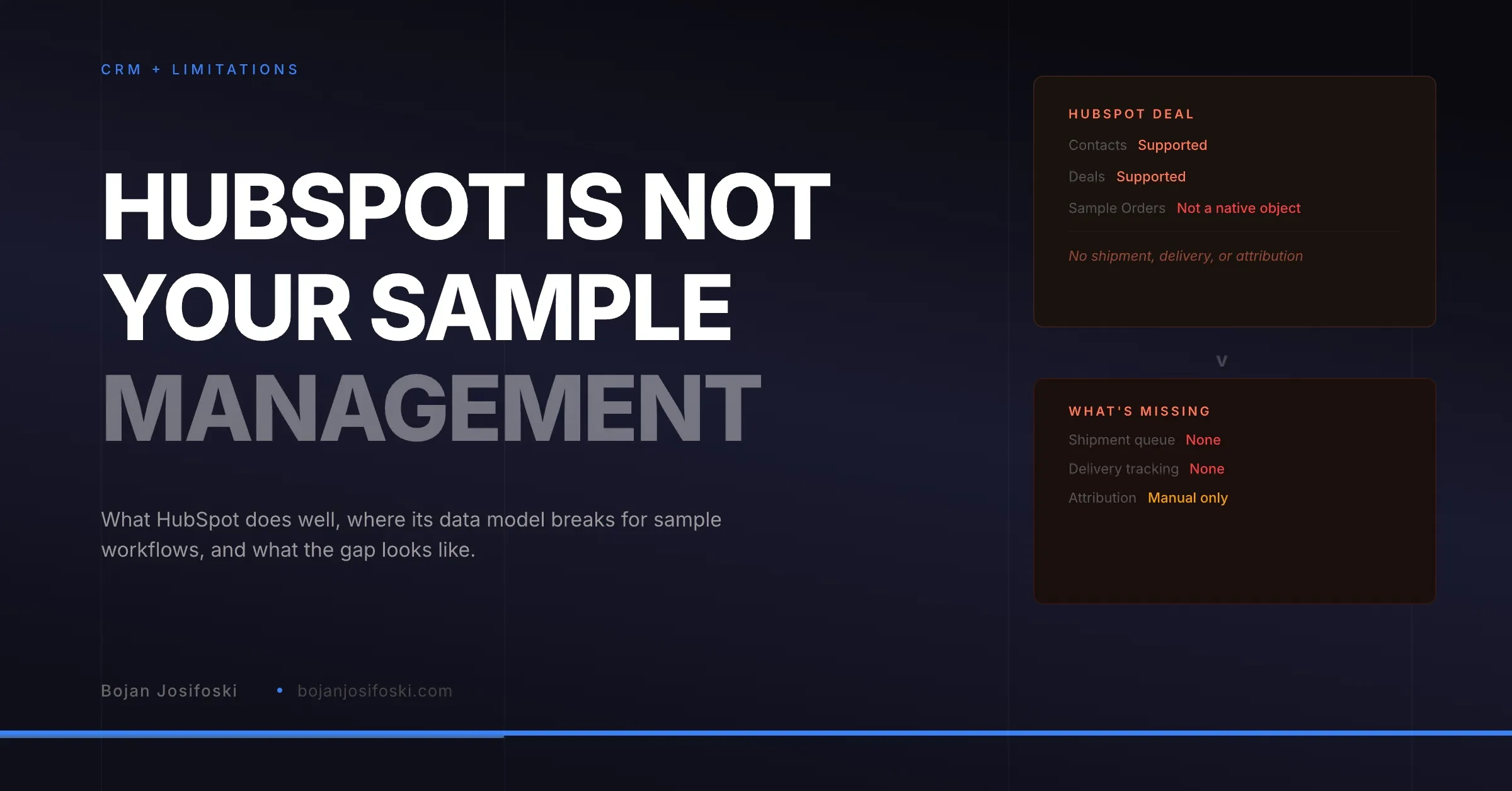
HubSpot is excellent for deals and contacts. It is not built for sample orders, shipment tracking, fulfillment queues, or delivery-triggered follow-up. Here is where the data model breaks and what the gap actually costs.
HubSpot is a good CRM. For many mid-market B2B companies, it is the right choice for managing contacts, deals, and pipeline. I have built integrations with HubSpot and I respect the platform. This is not a hit piece.
But HubSpot is not a sample management system. And the teams that try to use it as one end up with the same set of problems: missing operational data, broken follow-up workflows, and an inability to connect sample activity to deal outcomes. I have written about why CRMs in general fail at sample tracking. This post is specifically about HubSpot, because it is the CRM most of our customers use, and the limitations are worth understanding in detail.
What HubSpot Does Well
Before talking about gaps, it is worth acknowledging what HubSpot does well for sample-adjacent workflows.
Contact and company management is solid. The deal pipeline is flexible and well-designed. Workflow automation can trigger actions based on deal stage changes, form submissions, and property updates. The API is cleaner and more developer-friendly than Salesforce’s. And the ecosystem of integrations means HubSpot connects to most tools a sales team already uses.
If your sample process is simple enough that “did we send samples to this contact?” is a yes-or-no question stored in a contact property, HubSpot handles that fine. The problems start when your sample operations have any complexity at all.
Where the Data Model Breaks
No native sample order object. HubSpot has contacts, companies, deals, tickets, and custom objects. None of these naturally represent a sample order. A sample order is an operational record with line items (which samples), recipients (who gets them), status (where in the workflow), and shipment data (carrier, tracking, delivery). Deals do not have this structure. Tickets are close but lack the relational depth. Custom objects are an option but come with limitations.
Custom objects are still maturing. HubSpot introduced custom objects to address gaps like this, but the reporting, automation, and association capabilities for custom objects are not as mature as standard objects. You can create a “Sample Order” custom object, but building the same level of workflow automation, list segmentation, and reporting that you get with deals requires significant workaround effort.
No multi-recipient support on a single record. A sample order might go to three different addresses. HubSpot records are flat. You cannot natively represent “this order shipped to Location A via UPS and Location B via FedEx” on a single record. You would need multiple records, one per recipient, which fragments the order data and makes status tracking confusing.
No shipment state machine. A sample order moves through operational states: created, approved, processing, shipped, in transit, delivered. HubSpot deals have stages, but deal stages are designed for sales pipeline progression, not operational fulfillment tracking. Repurposing deal stages for operational states means your pipeline reporting breaks, because “shipped” and “delivered” are not sales stages.
The Follow-Up Gap
The most expensive limitation is not structural. It is behavioral. HubSpot has no way to trigger an action when a sample is delivered because HubSpot does not know when a sample is delivered.
Delivery status lives in the carrier’s system. To get it into HubSpot, you would need a middleware integration that polls carrier APIs, matches tracking numbers to HubSpot records, and updates a property when delivery is confirmed. Most teams do not build this. So delivery happens, nobody in HubSpot knows, and the follow-up window closes.
The sales-fulfillment handoff breaks precisely because the delivery event, which should trigger the next action, never reaches the system where the next action lives.
The Attribution Gap
HubSpot tracks deal revenue well. It does not track which samples influenced that revenue. Attribution requires linking sample orders to deals, recording influence type, tracking delivery timing, and computing credit when deals close. None of this exists natively in HubSpot.
You could build a custom property on deals that stores sample order IDs, and a workflow that checks whether those properties are populated when a deal closes. But the reporting would be manual, the credit computation would be impossible without external logic, and the maintenance burden would grow with every additional dimension you want to report on.
The result is what every team without attribution experiences: samples are a cost line item with no measurable return. Leadership asks whether the sample program is worth the expense, and nobody can answer with data.
What Integration Should Look Like
The answer is not to abandon HubSpot. It is to keep HubSpot doing what it does well, managing deals, contacts, and pipeline, and connect it to a purpose-built system that handles sample operations.
The integration points that matter are specific. Contact lookup at order creation, so the person entering a sample request can pull contact data from HubSpot without re-entering it. Address validation that syncs back corrections. Deal association that links sample orders to active deals. And an app card that shows sample order status and delivery data directly inside the HubSpot contact or deal record.
This last point is important. Sales reps live in HubSpot. If they have to leave HubSpot to check sample status, most will not do it. The integration needs to bring operational visibility into HubSpot, not force reps out of it. An app card in the HubSpot sidebar that shows “3 sample orders, 2 delivered, 1 in transit” gives the rep what they need without changing their workflow.
The Practical Test
If you are trying to decide whether HubSpot can handle your sample operations, ask these questions:
Can you tell, from inside HubSpot, exactly which samples were sent to a specific contact and when they were delivered? Can your fulfillment team manage their shipment queue inside HubSpot without interfering with sales data? Can you generate a report showing how much revenue was influenced by samples last quarter? Can a rep see delivery status in their deal view without checking a separate system?
If the answer to any of these is no, HubSpot is not your sample management system. It is your CRM, and it should stay your CRM. The sample operations layer belongs somewhere else, connected to HubSpot at the right integration points.
SampleHQ integrates with HubSpot through OAuth, with contact lookup, deal linking, app cards, and attribution that flows between both systems.